Appearance
MySQL | MariaDB
📌 To use the remote connection wizard, you must first enable our Premium Data Service on your WordPress server.
PREPARATION
Ensure sure our server can access your MySQL | MariaDB database.
CREATION
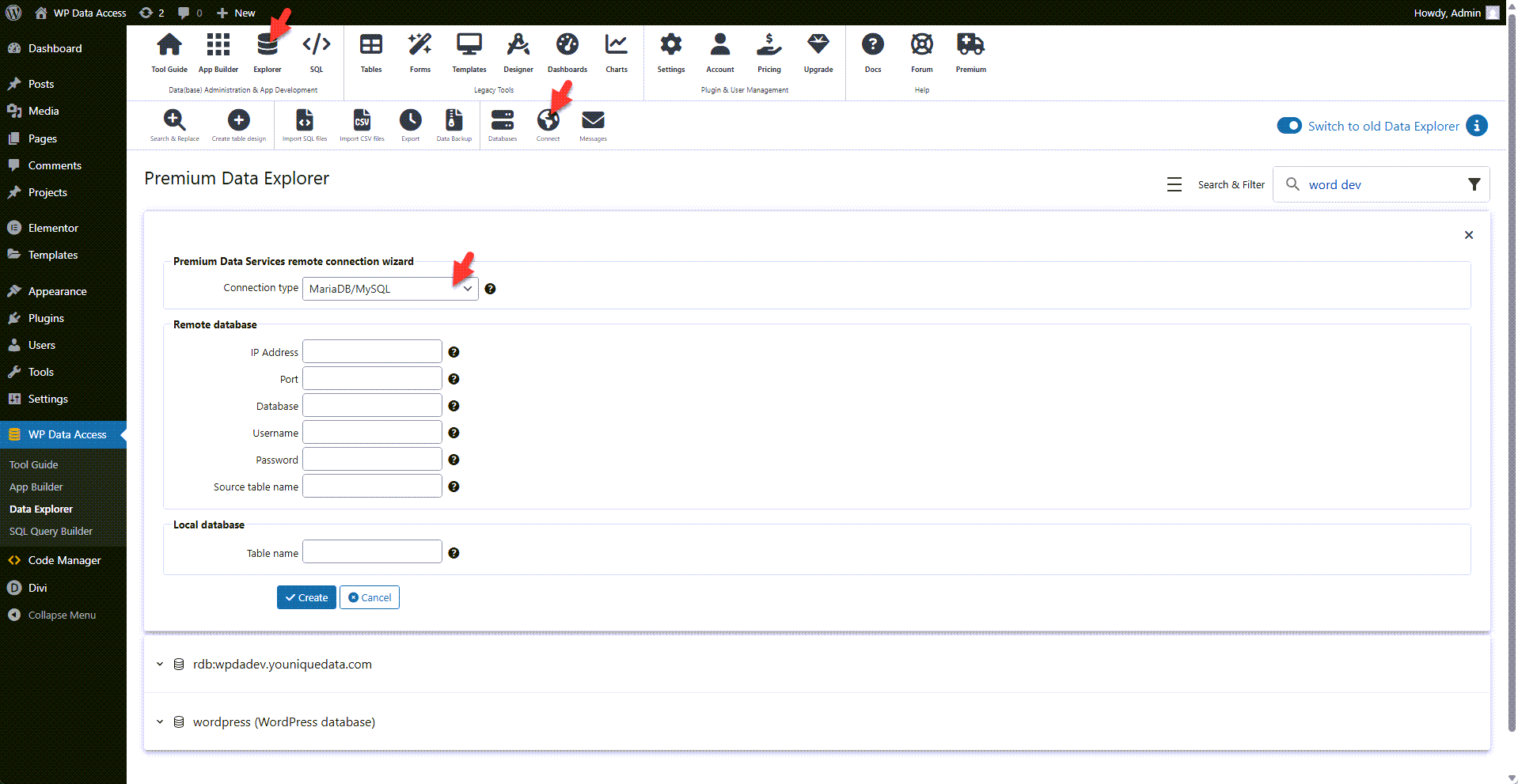
- Start the Data Explorer.
- Click the connect icon to open the remote connection wizard.
- Select MySQL | MariaDB from the connection type drop-down list.
- Fill out the remote database connection details.
- Enter a table name.
- Click the create button.
📌 USAGE
- MySQL | MariaDB tables can be used just like WordPress tables and are supported by all plugin tools.
- A primary key is required for data management and must be defined explicitly in WP Data Access.
- Read the limitations before you start updating MySQL | MariaDB tables.